Self-hosted WireGuard® access management
No one left on an
IT island.
Your network, your server, your data. Islandr gives small teams sovereign WireGuard® access management — peers, groups, ACLs and a self-service portal in one native binary. Real kernel-space WireGuard, standard clients on every platform, no SaaS subscription and no external control plane.
Features
One console. No cloud lock-in.
Peers, groups, ACLs, firewall enforcement and self-service — managed in one interface. No SaaS subscription, no vendor account, no config files emailed around.
Peers & devices
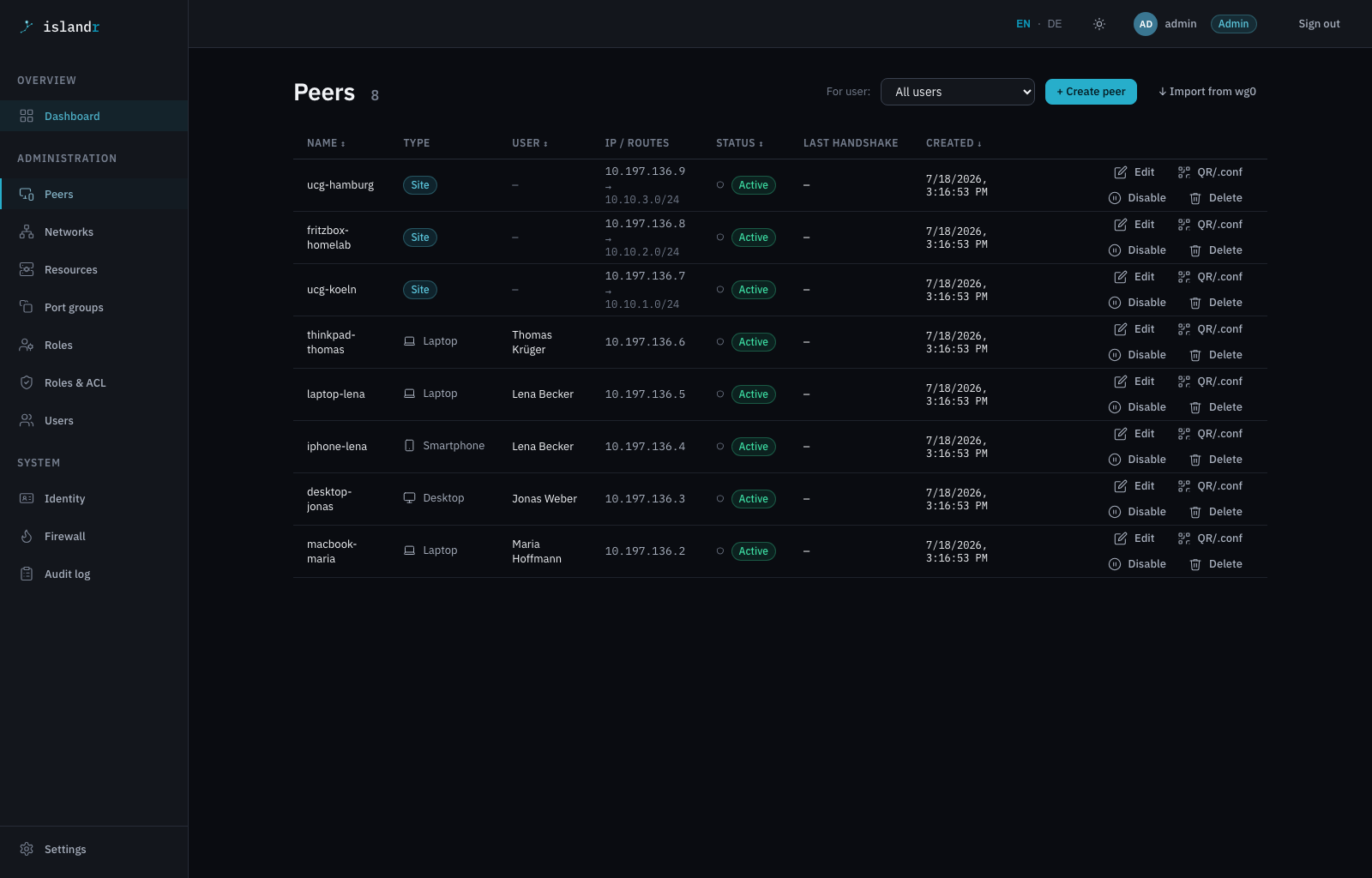
Who — and which device — may connect. Client and site peers, IP suggestion from the WG subnet, CIDR-overlap validation, keys generated server-side or imported.
Self-service portal
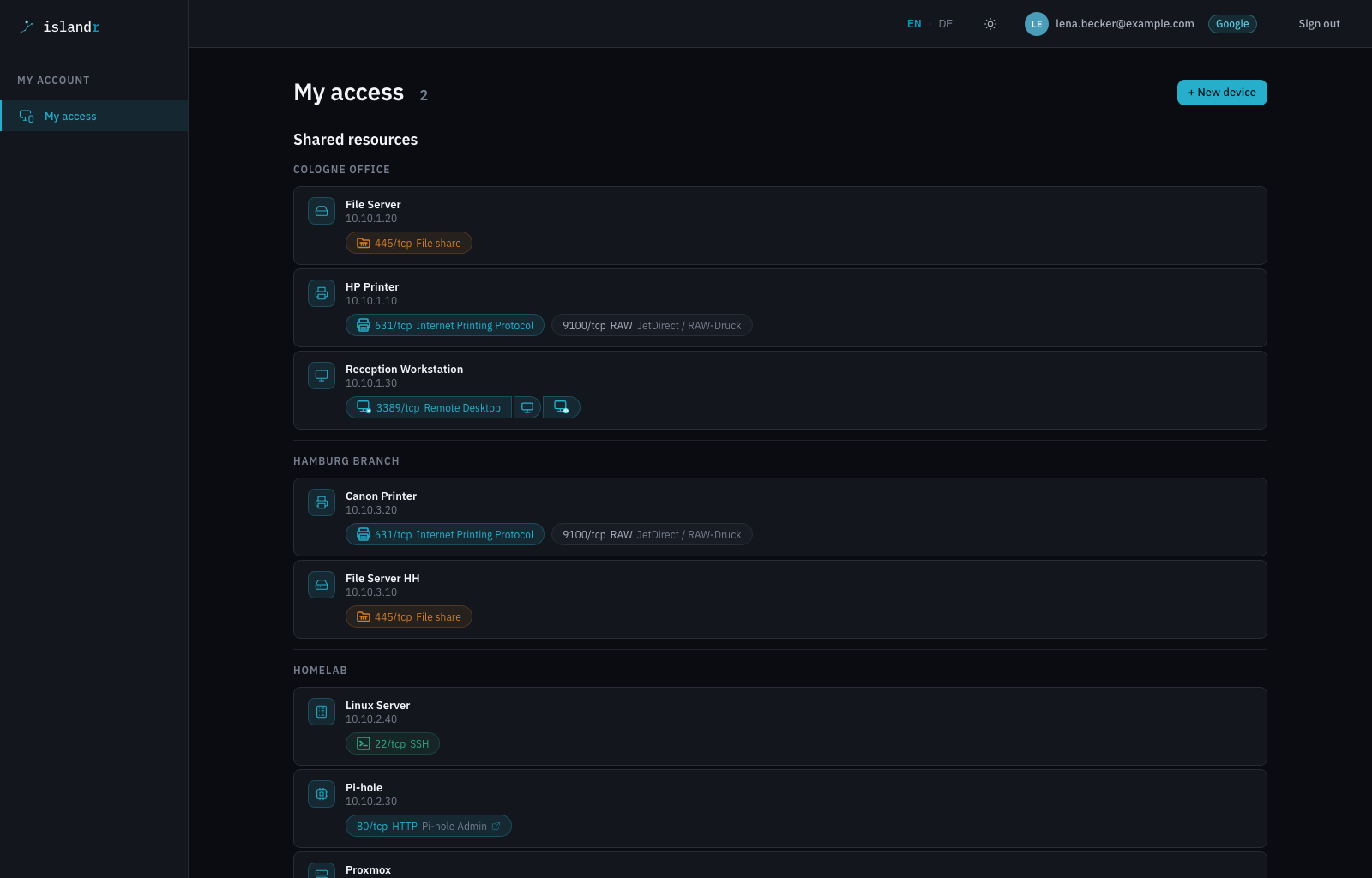
End users fetch their own configs: QR code and .conf download, add a device, rotate keys — with no admin in the loop.
Groups & ACLs
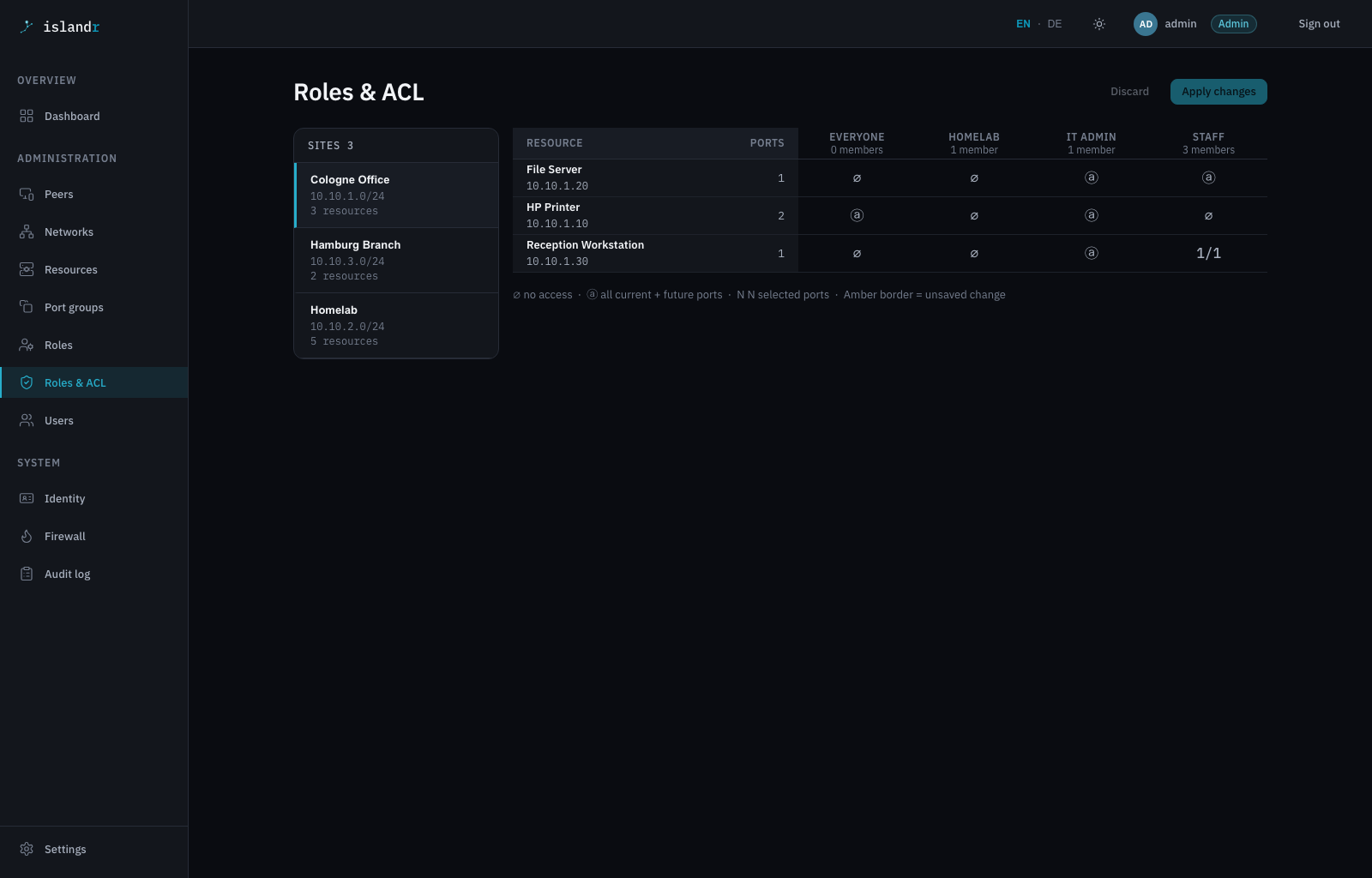
Who may reach what. Group-based, resource-level access rules instead of “everyone reaches everything” on a flat network.
WireGuard & firewall
The hub drives wg and nftables directly — no new protocol, no wrapper. It never writes /etc/wireguard: the interface stays yours, Islandr manages the peers on it and the rules that gate them.
Auth & identity
A local recovery admin plus OIDC for Microsoft 365 and Google. All provider config lives in the DB and is editable at runtime — no restart, no properties round-trip.
Native delivery
As a Quarkus native build (GraalVM) Islandr starts in milliseconds and runs via systemd as one binary on x86_64 and ARM64. SQLite for the lab, PostgreSQL for prod.
Browser-based RDP
Connect to a shared Windows resource straight from the self-service portal. IronRDP runs the session in the browser tab via WebAssembly — no client to install, gated by the same ACL as everything else.
Built-in HTTPS
Islandr terminates TLS itself — upload your own certificate, or let it provision and renew a real Let's Encrypt certificate automatically. No reverse proxy required.
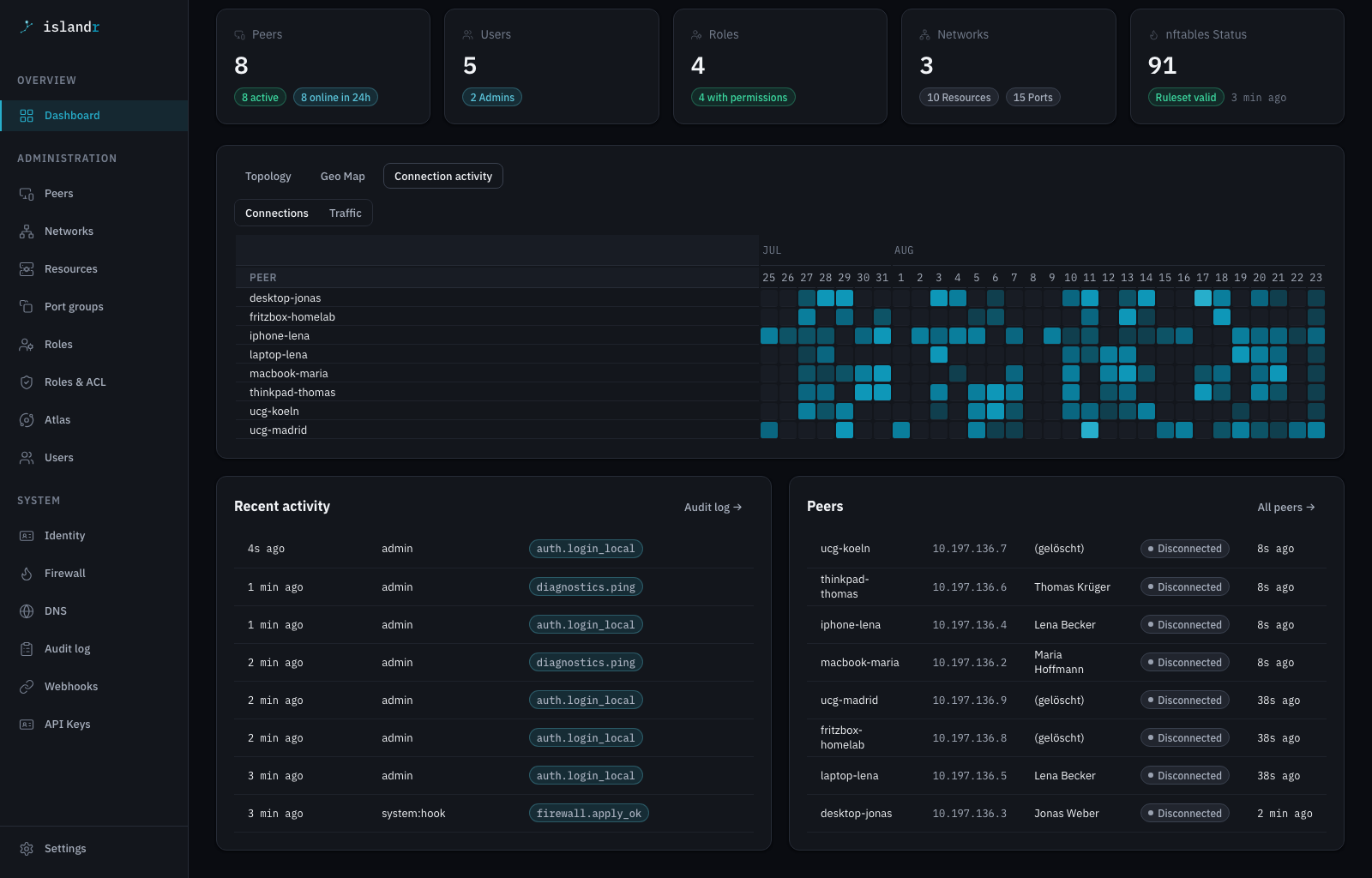
Connection activity heatmap
A peers-by-days heatmap on the dashboard shows who's been active and who's gone quiet — spot a stale device before it becomes a support ticket.
Who it's for
Built for small teams that run their own infrastructure.
Islandr is VPN management plus role-based access control in one binary — for teams of 5 to 50 who self-host on a VM well under €5/month, a home server, or a bare-metal box, and don't want a SaaS control plane calling home.
It is not Zero Trust, not an enterprise SASE product, and not a replacement for Tailscale if a managed service suits your team. It is a pragmatic tool for people who want to own the full stack.
- Small team (5 – 50 people), self-hosted stack
- Multiple sites or remote workers
- Need user + group + ACL management, not just keys
- Microsoft 365 or Google for identity (OIDC)
- Devices you cannot install a vendor VPN client on
- Need mesh networking between peers (use Tailscale)
- Need enterprise audit compliance or SSO beyond OIDC
- Running hundreds of peers or dozens of admins
Islandr vs. mesh VPNs
Different data plane, different trade-offs.
Mesh VPNs solve any-peer-to-any-peer connectivity. Islandr solves who-on-your-team-reaches-what. It is not a config editor either — the point is not a nicer way to edit wg0.conf, but users, roles and per-resource permissions on top of it. Here's how the plumbing actually differs.
| Criterion | Tailscale | NetBird | Headscale | Islandr |
|---|---|---|---|---|
| Data plane | Userspace (wireguard-go), DERP relay fallback | Kernel WireGuard on Linux when available, userspace fallback | Same client as Tailscale — userspace, relay fallback | Native Linux kernel WireGuard, always |
| Client | Tailscale app (open-source, but its own protocol on top of WireGuard) | NetBird app (same story — own client, own protocol layer) | Tailscale app pointed at your Headscale server | Any standard WireGuard client — .conf or QR, no app to install |
| Self-host footprint | Not self-hostable — SaaS control plane | Self-hosted, multi-service stack (management + signal + relay/coturn + dashboard) | Self-hosted control server, still needs the vendor client | One native binary, zero external services |
| Best fit | Any-to-any mesh, managed for you | Any-to-any mesh, self-hosted | Self-hosted Tailscale alternative, same mesh model | Hub-and-spoke team access — users, groups, resource-level ACLs |
Solid network security, without the enterprise overhead. WireGuard® encrypts every connection, access is segmented by group, and the rules are enforced at the hub. If Islandr does not start, the hub forwards nothing rather than forwarding unfiltered. Local logins slow down under guessing and log a line fail2ban can act on. And nothing calls home: no telemetry, no background polling, no third-party asset loaded in your browser — the update check runs only when you ask for it.
How it works
Hub & spoke — a constellation of islands
The sea is the internet. A VM with a public IP is the bright home star; every islander finds its way back through an encrypted WireGuard tunnel.
The hub (home star)
A VM with a public IP runs WireGuard, nftables and the Islandr backend — the central node that coordinates identities, keys and rules.
Peers connect
Road warriors, home offices and mobile devices join as dynamic peers; site gateways (router, UCG) as static peers — routing an entire subnet into the network.
Self-service hands out configs
Users download their .conf or scan the QR code themselves. No more config files travelling the company by email.
Policy enforces
Groups & ACLs decide which paths in the constellation are open — nftables enforces them at the hub. Everything else stays invisible.
When it fits
A typical setup — from CG-NAT to multi-site
No fixed IPv4 from your provider? Router without WireGuard server mode? Home lab behind CG-NAT? A €3–5 VM in the cloud becomes the hub — every device and every site connects as a peer, regardless of what sits in front of it at home.
Islandr fits when…
- Your provider gives no fixed IPv4 (CG-NAT)
- Your router has no WireGuard server mode
- You need more than one site — home, office, lab
- You want central user management, not manual key files
- Team members should self-service their own device configs
You might not need it when…
- Your router already supports WireGuard server mode and one site is enough
- You only have two or three devices and manage keys manually
- You are fine with a SaaS control plane (Tailscale works great)
In the interface
Everything in one console.
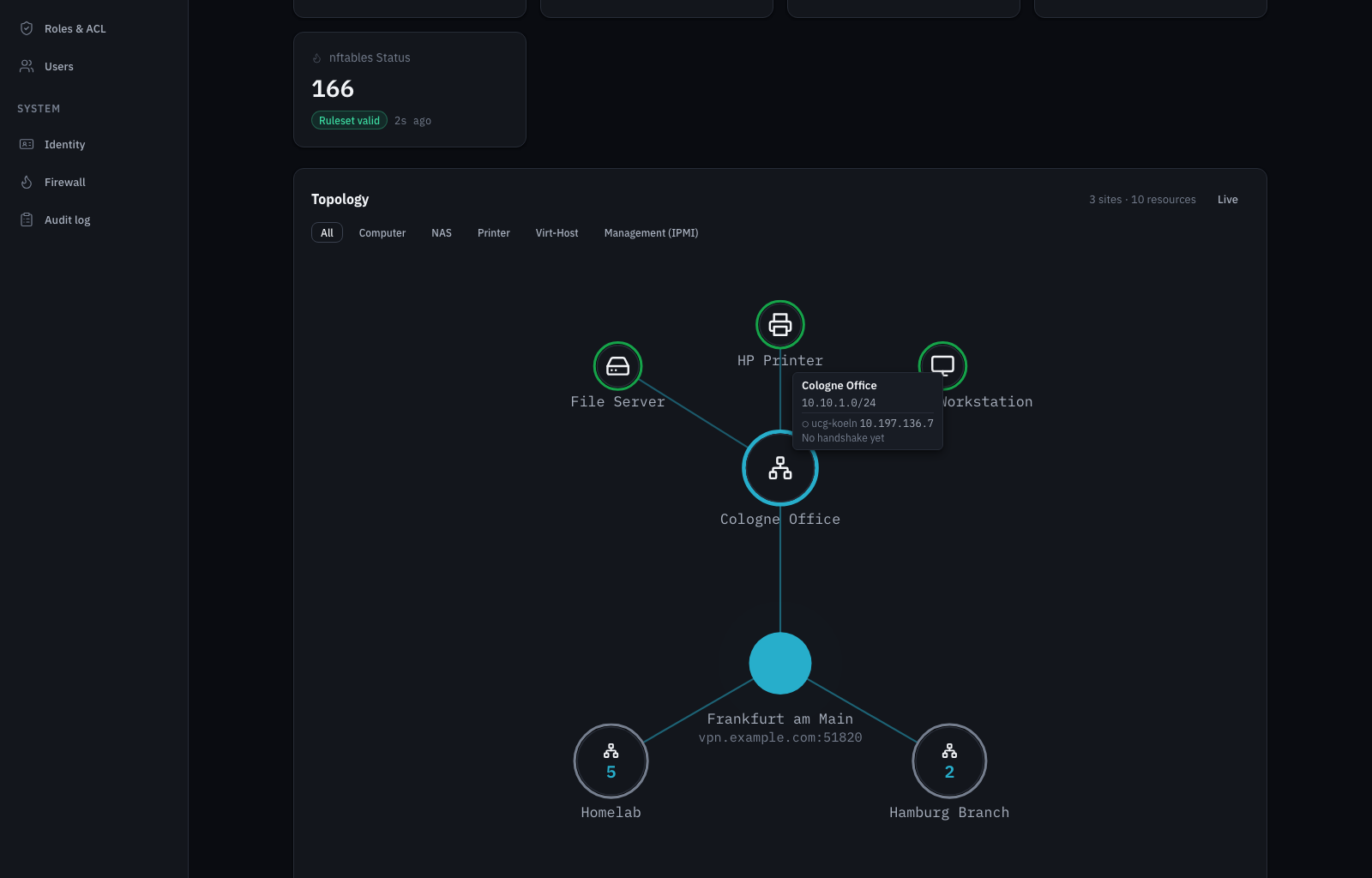
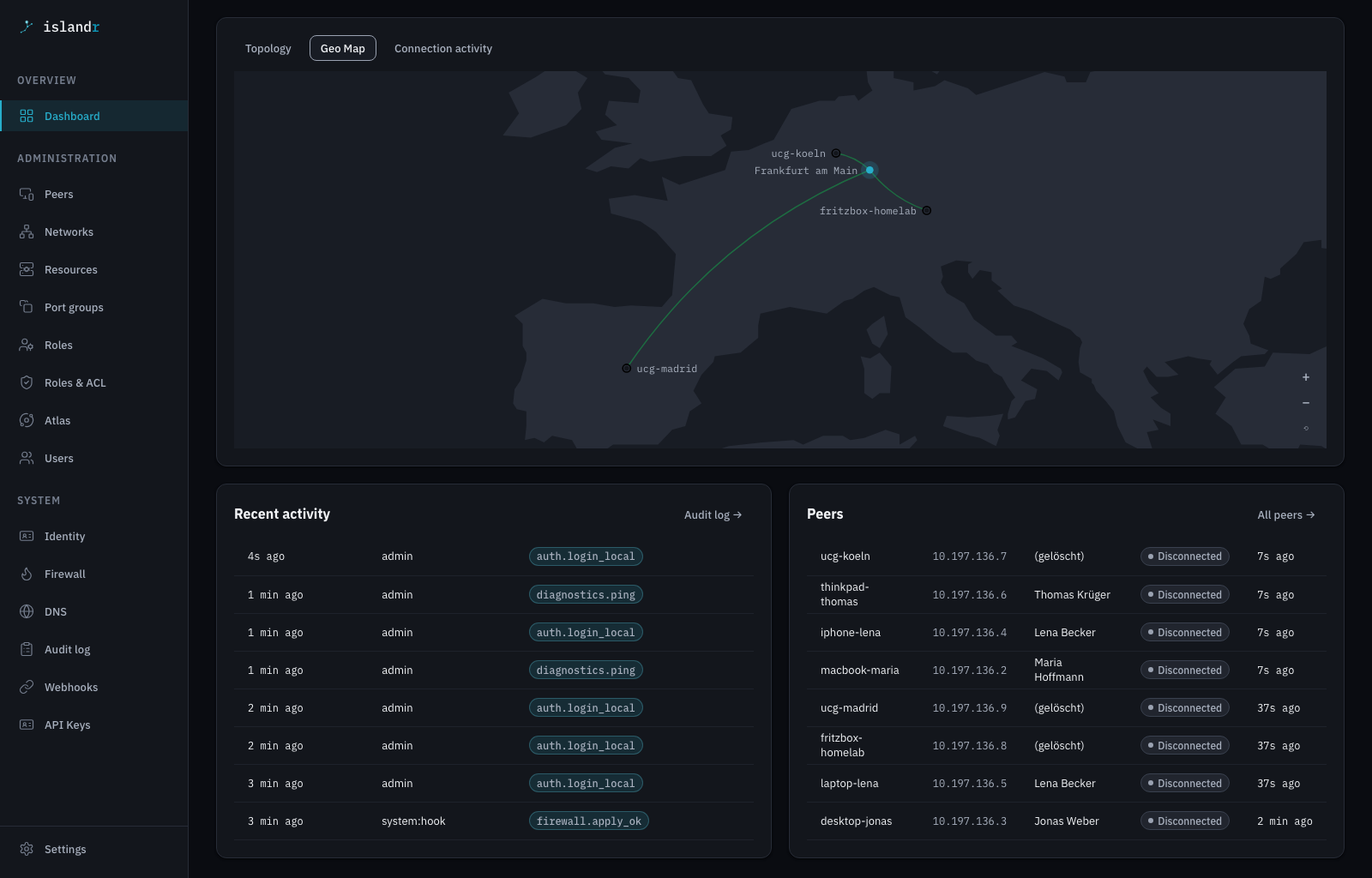
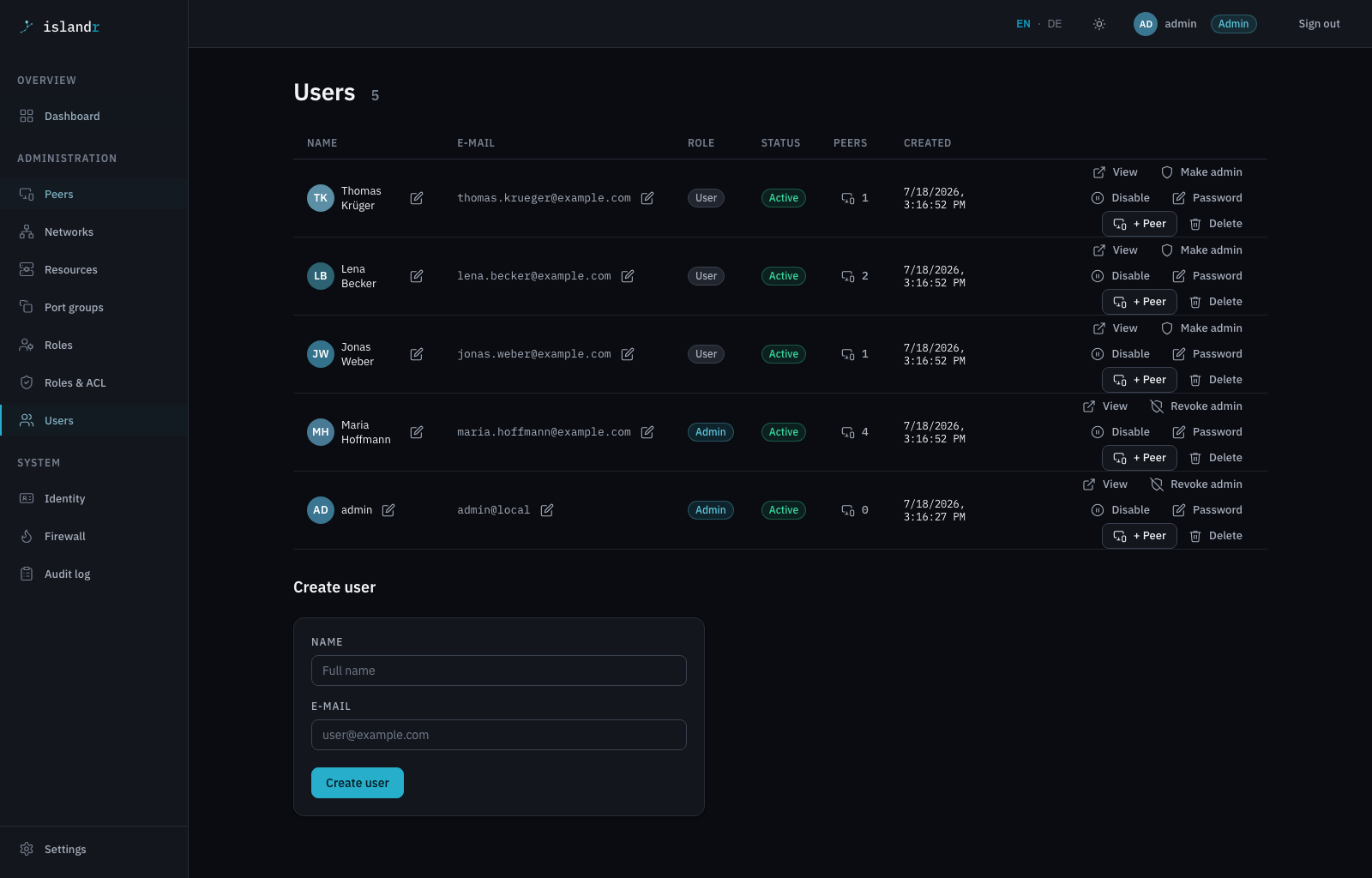
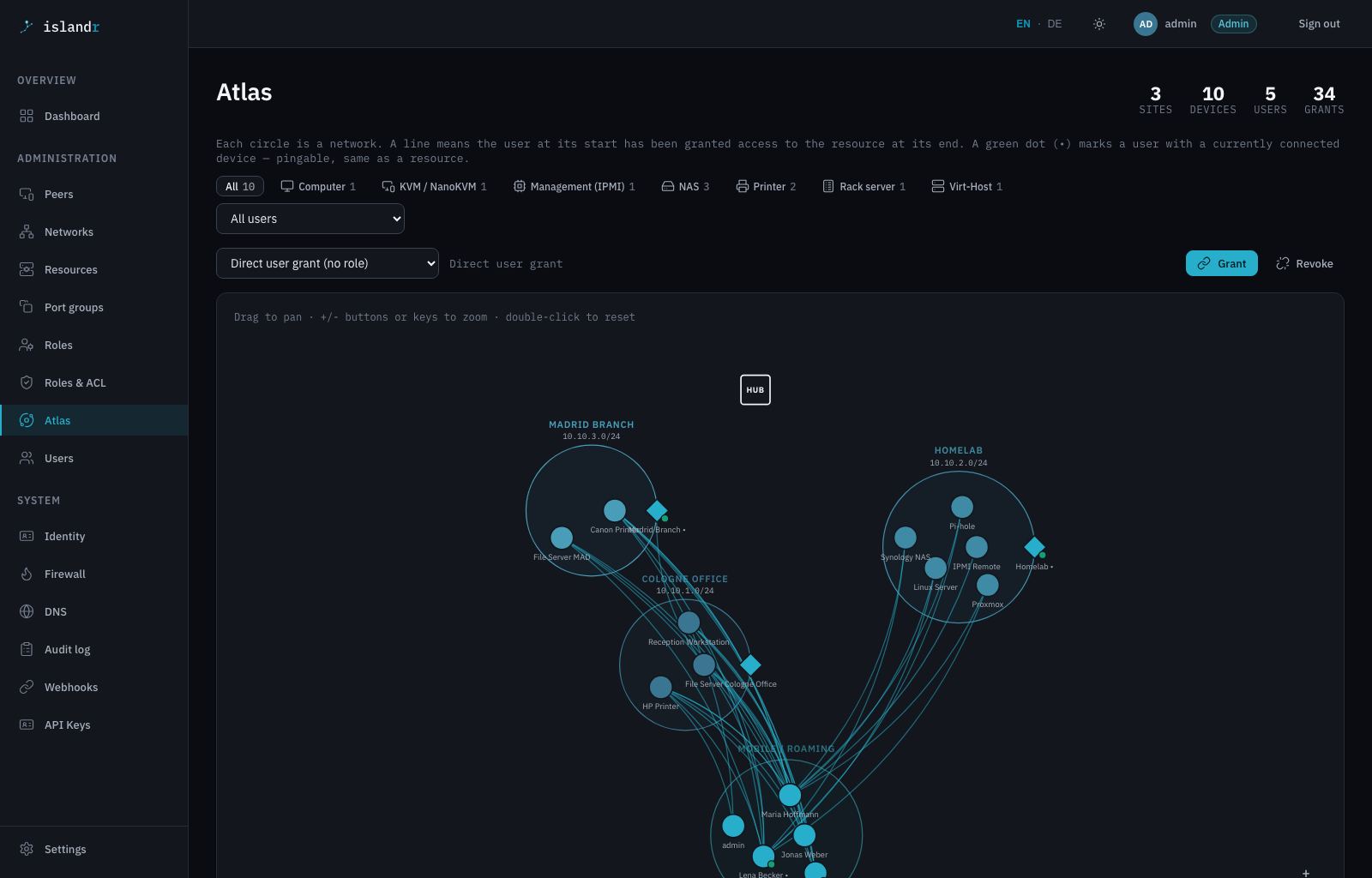
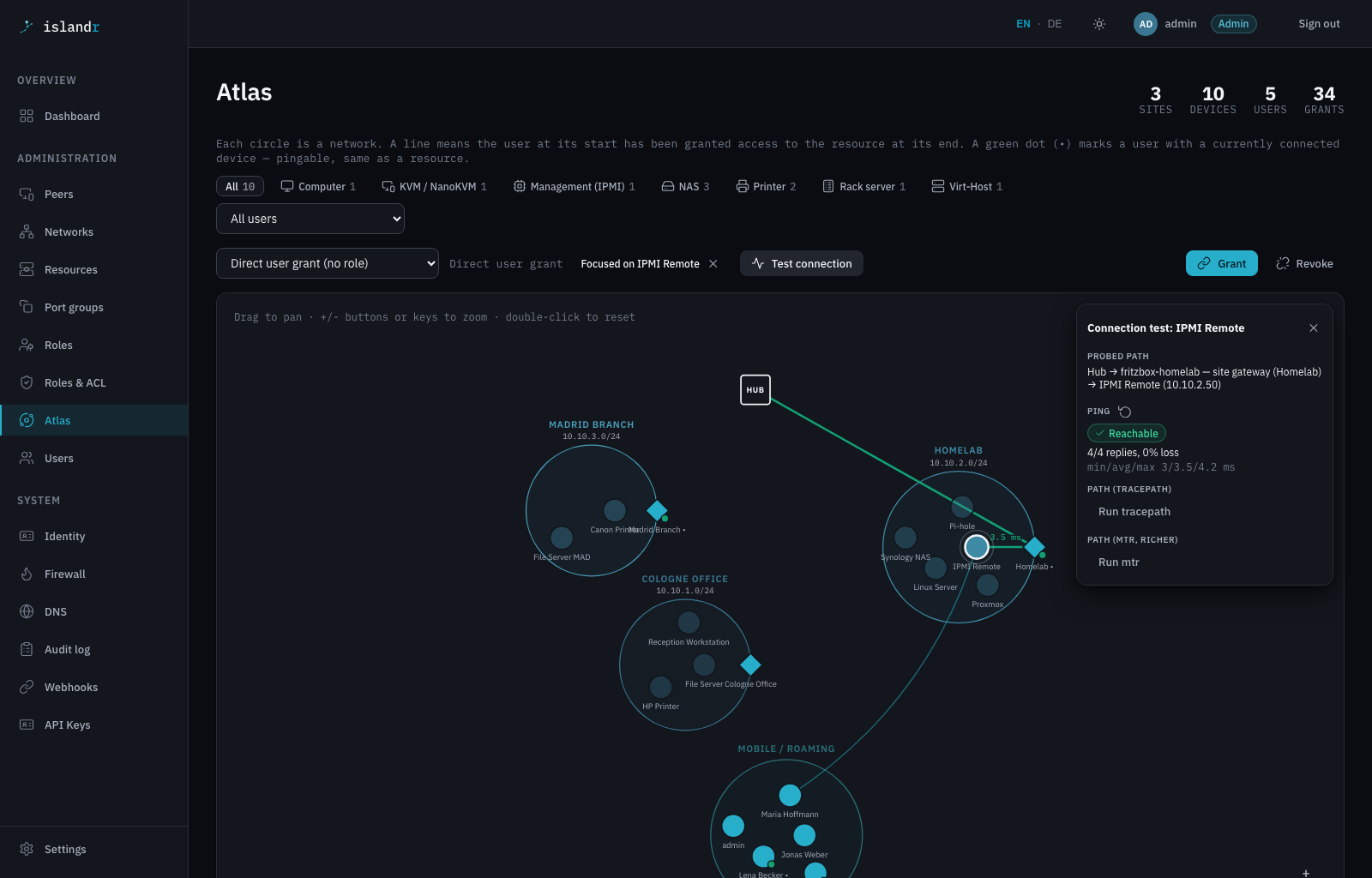
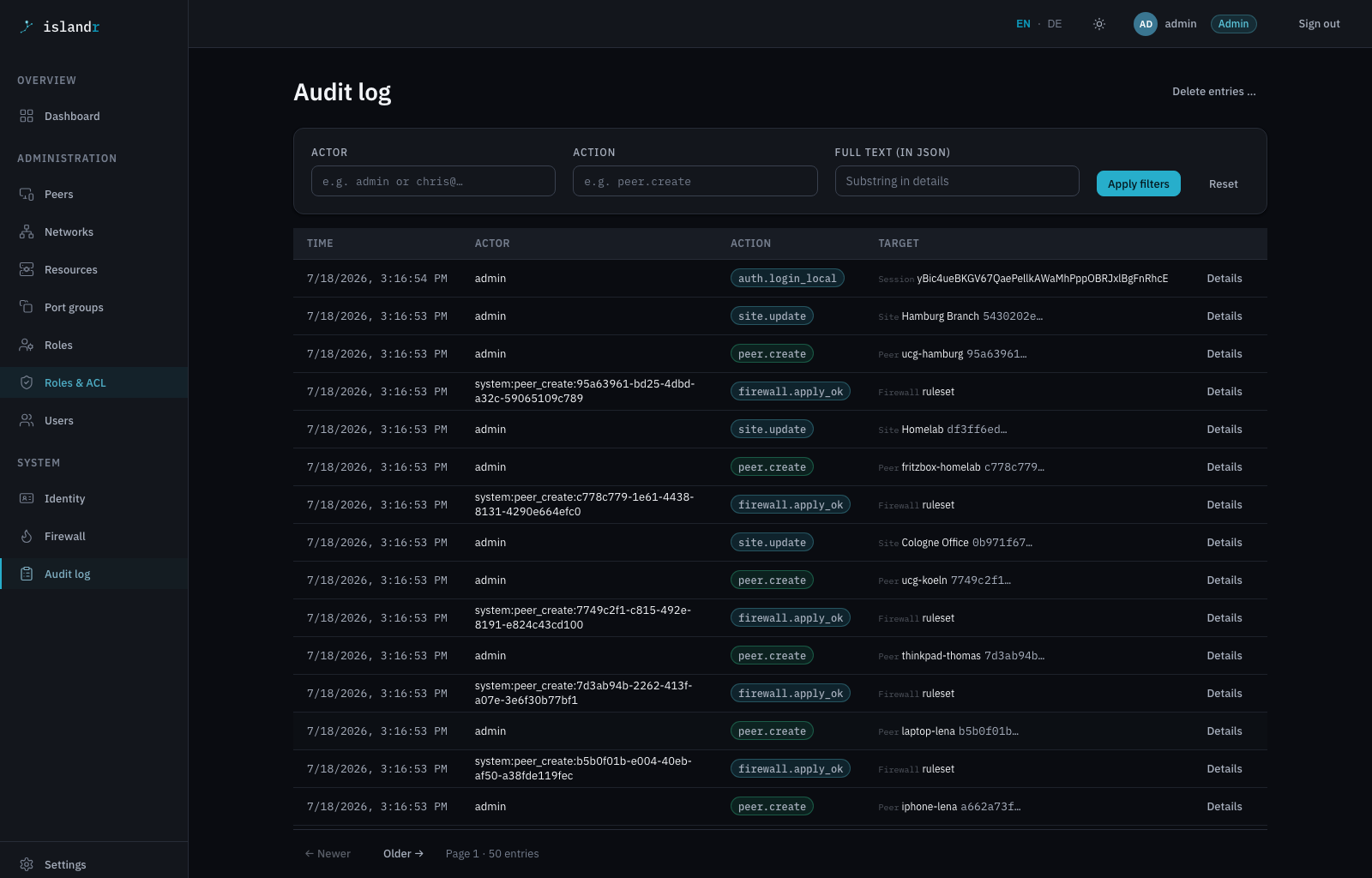
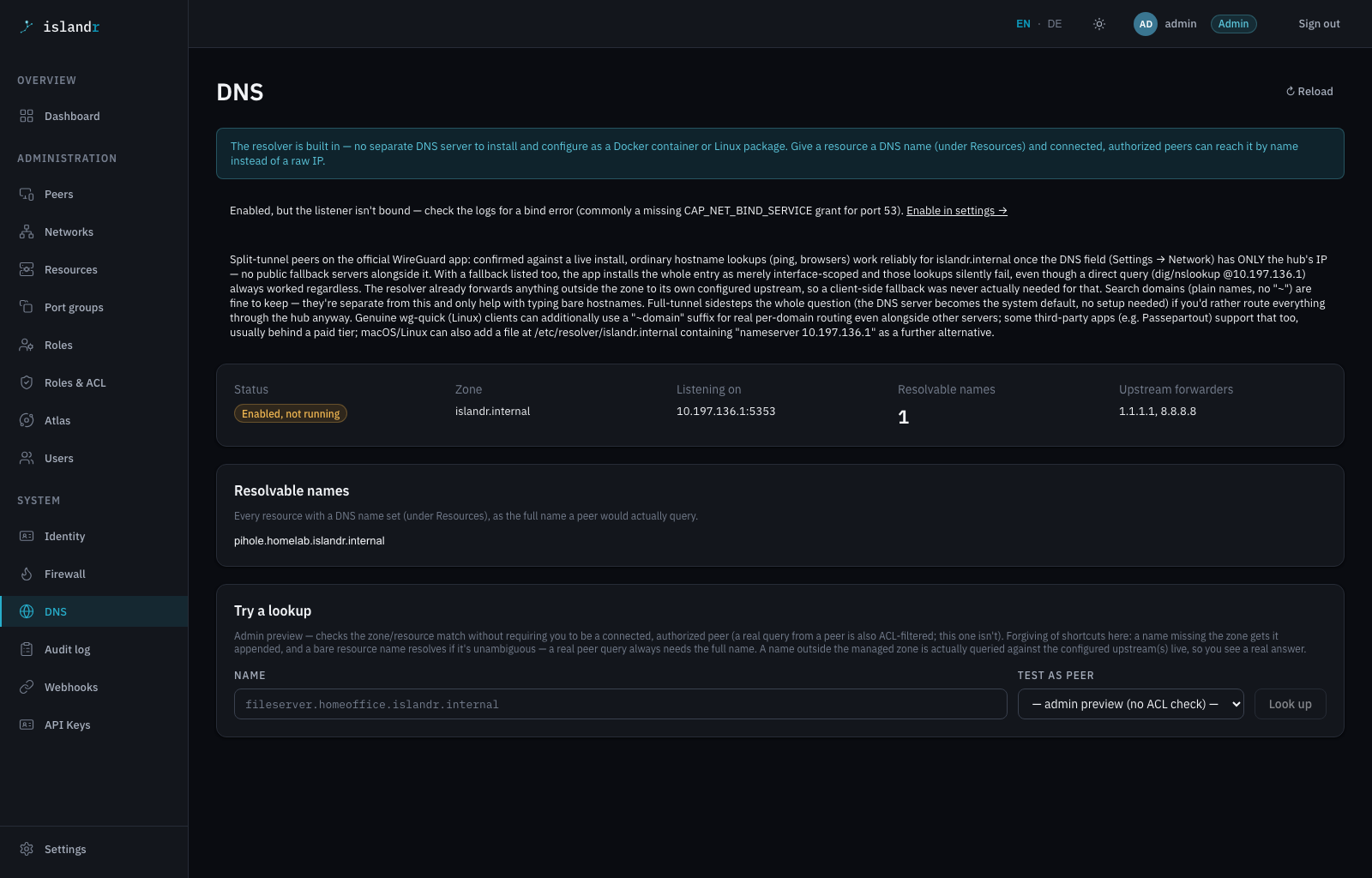
Admin console and self-service portal — available in light and dark mode, in English and German.
Install
Up and running in under a minute
A single native binary — no JVM at runtime, no npm toolchain. Pick your path. Already running WireGuard? Islandr installs on top of it: your interface config is never touched, and enforcement stays off until you turn it on.
# Clone & run with Quarkus live coding
git clone https://github.com/chriscohnen/islandr.git
cd islandr
./gradlew quarkusDev
# → http://localhost:8080   (admin / admin in the %dev profile)
# Checks the prerequisites, downloads and verifies the binary, then creates
# the service user, scoped sudo rules, env file and systemd unit.
curl -fsSL "https://raw.githubusercontent.com/chriscohnen/islandr/main/docs/install/setup-hub.sh" \
     -o setup-hub.sh
less setup-hub.sh          # read it before running it as root
sudo bash setup-hub.sh

# It prints the admin password, the installed paths and how to follow the
# logs. Islandr runs as an unprivileged user with scoped sudo for nft and
# wg only — never as root, no CAP_NET_ADMIN.
sudo journalctl -u islandr -f
services:
  islandr:
    image: ghcr.io/chriscohnen/islandr:latest
    ports: ["8080:8080"]
    cap_add: ["NET_ADMIN"]
    environment:
      ISLANDR_ADMIN_USER: admin
      ISLANDR_ADMIN_PASSWORD: change-me
    volumes: ["./data:/data"]

# docker compose up -d   →   http://localhost:8080
In production the admin password has no default — without ISLANDR_ADMIN_PASSWORD the local login stays deliberately disabled (HTTP 503). A known default in containers would be a security hole.
Get started
One binary, one command — up and running in under a minute.
→ then open http://localhost:8080
Need a cheap VM to run it on? My Ionos referral link gets you a VPS with enough headroom for a small team for well under €5/month — you get a signup discount too, it's a shared bonus, not just a commission for me.
Get a VPS via my referral link Affiliate link — discloses in the privacy policyBuilt with agentic coding
One person, agent-assisted — from PRD to a tested walking skeleton.
Islandr is a solo exploration of how far agent-assisted development really goes: product spec, architecture decision records, OIDC built from scratch, and a backend with over a thousand tests — not a toy. At 1.1.0 now, and honest about what works and what’s next.
Common questions
Objections sysadmins actually raise.
What happens if the Islandr process crashes or restarts?
Islandr configures real Linux kernel WireGuard interfaces and nftables rules — once applied, both live in the kernel independently of the Islandr process. A restart of Islandr itself doesn't tear down existing tunnels or firewall rules; Islandr is the control plane, not the data plane. Verified on a production hub: kill -9 on the Islandr process, systemd restarts it within seconds, wg show keeps counting the same handshake and transfer stats the whole time — no dropped session. A reboot is the one case where kernel state is gone by definition: Islandr re-applies the peers it manages when it starts, and repairs anything that drifted — a wg-quick restart, say — within one 30-second poll.
Do my users need to install a new app?
No. Every official WireGuard client — iOS, Android, macOS, Windows, Linux, or router firmware like UniFi/FRITZ!Box — just reads the generated .conf file or scans the QR code. No proprietary client, no vendor lock-in.
Can I put Islandr on a server that already runs WireGuard?
Yes, and it leaves that setup alone. Islandr drives your existing tools (wg, nft) directly instead of reimplementing them, and it never writes /etc/wireguard/<iface>.conf — the interface, its keys and your PostUp rules stay exactly as you wrote them. Peers already in that file keep connecting; you import the ones Islandr should manage, and firewall enforcement stays paused until you switch it on yourself. Leaving works the same way in reverse: export the managed peers into your config and the tunnel outlives Islandr.
Is the web UI exposed to the internet?
Your call, and it is one line in the env file — ISLANDR_HTTP_HOST. Bind it to the hub’s WireGuard address and the admin console and the self-service portal answer over the tunnel only; from the outside the port is simply closed. Bind it to 0.0.0.0 and both are reachable publicly, which is what makes onboarding simple: a new colleague fetches their first config before they have a tunnel to fetch it through, and the built-in Let’s Encrypt certificate needs port 80 reachable anyway. 127.0.0.1 is the third option, for a reverse proxy in front. Whichever you pick, both surfaces sit behind a login — the bind address decides who can knock, not who gets in.
Do I need a reverse proxy like nginx, Traefik or Caddy?
No — but it is supported if you already run one. Islandr terminates HTTPS itself and can get its certificate three ways: Let’s Encrypt over the HTTP-01 challenge (port 80 has to stay reachable — for the first certificate and for every renewal after it; that is how the challenge works, not a choice we made), Let’s Encrypt over DNS-01 for hosts that cannot expose port 80 at all — automated for Cloudflare DNS, with a manual mode for every other provider — or a certificate and key you upload yourself, such as a Cloudflare Origin Certificate where the edge already terminates TLS. In both Let’s Encrypt modes renewal runs on its own, daily and once on every boot; an uploaded certificate stays yours to replace. Both paths side by side in the guide.
The name
No one left on an IT island.
Remote workers, home offices, branch sites — each one is an island. Isolated by CG-NAT, by the router that doesn't support WireGuard server mode, by the distance from the corporate network. They're not the problem. The missing ferry is.
A ferry connects islands. But a ferry is a thing. More interesting is the person on the island — the islander. The employee working from home, the device at the remote site, the lab behind a double NAT. Each one waiting for a safe, reliable route back to the mainland.
Islander became Islandr — the dropped e is how software tools spell themselves. The promise stays: sovereign, encrypted access, and nobody stranded.